Submission stats tracked
All submissions are visualized in a bar chart. Upcoming deadlines are listed right there. One click opens your submission tracker board.
Most tools offer only vague matches between festivals and your film. Screentour combines festival research, submission tracking, budgeting, and collaboration features into one fast, easy-to-use toolkit.
Take a quick look at your film's current status. How many submissions? When is the next deadline? Which countries have you screened your film in? It's all there.
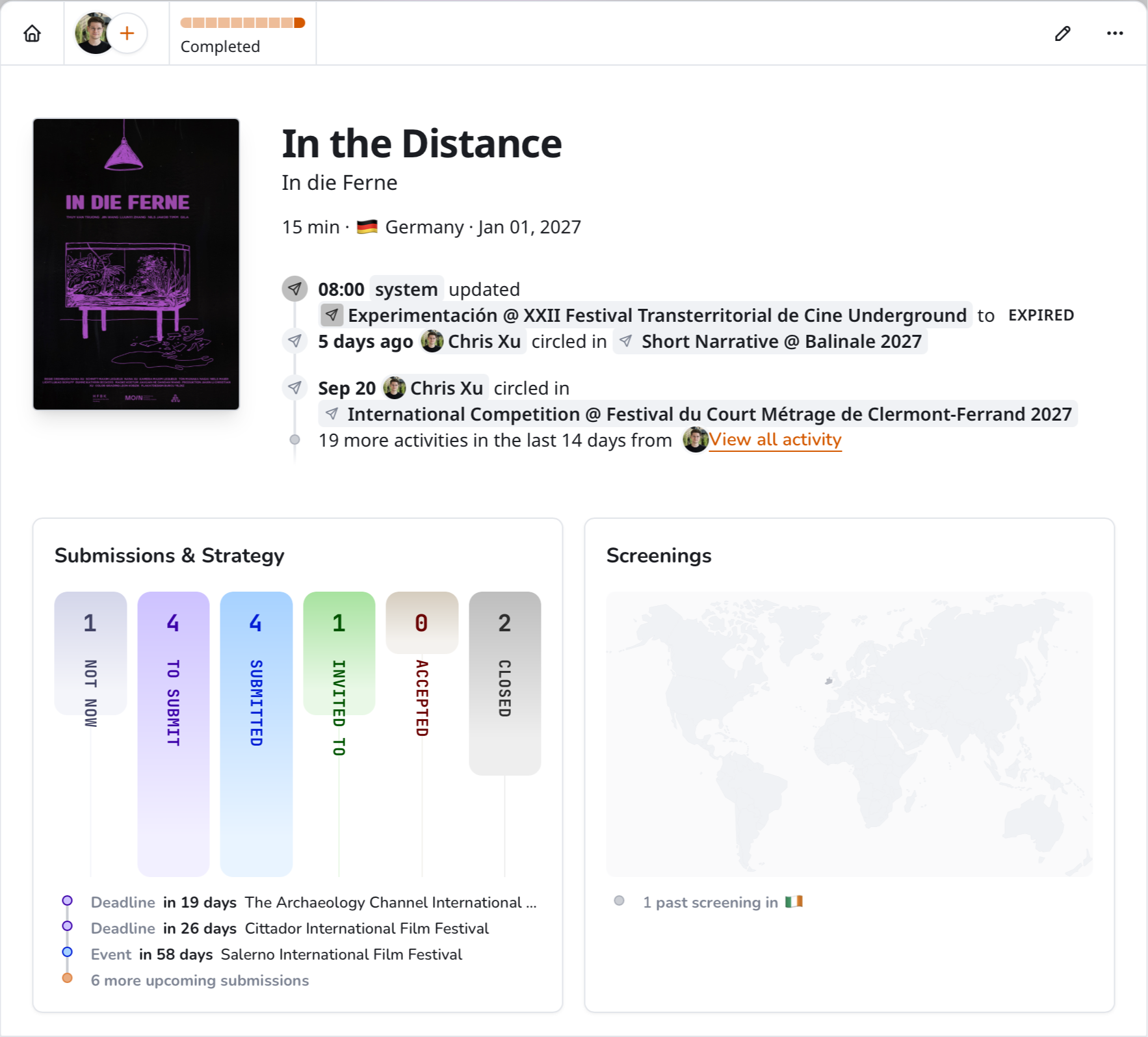
All submissions are visualized in a bar chart. Upcoming deadlines are listed right there. One click opens your submission tracker board.
See which countries you've screened your film in the most and where the next screening will be, all on a small world map.
What happened lately? The activity log shows what you and others did last.
Not all sections match your film. Screentour analyzes submission requirements to match your film with suitable sections.
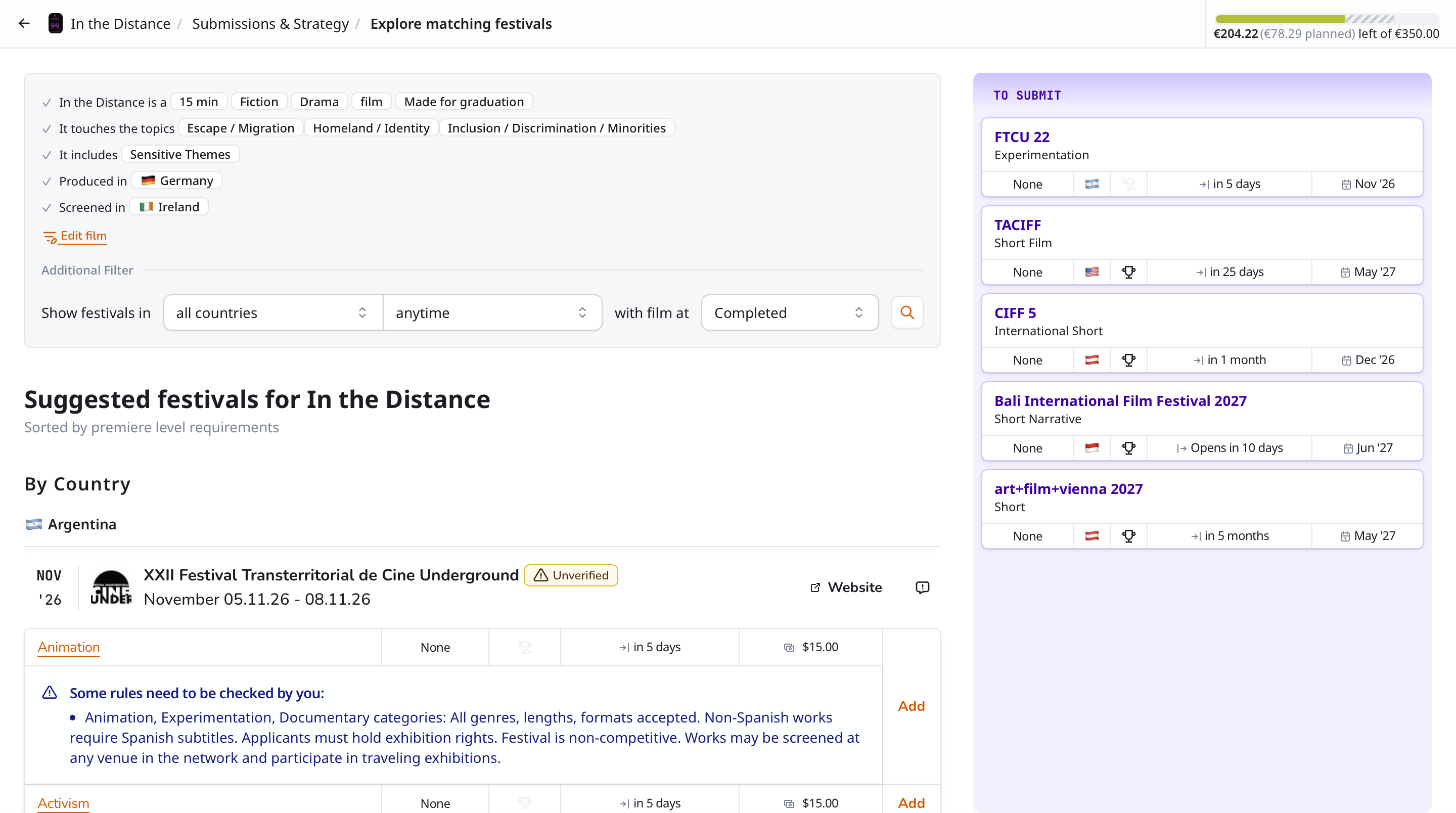
Simply click "Add" and a suggested festival section, with all its details, is on your plan.
Screentour uses your film's runtime, genre, topics, production countries, and previous screenings to find matching sections.
All potential world and international premieres are highlighted at the top of the list. Then all remaining festival sections follow, grouped by country.
Some rules cannot be matched automatically. Screentour marks rules that need your review before you add a festival to your plan.
Who's on the team? Who's sponsoring it? What awards are there? Is the venue accessible? It's all there.
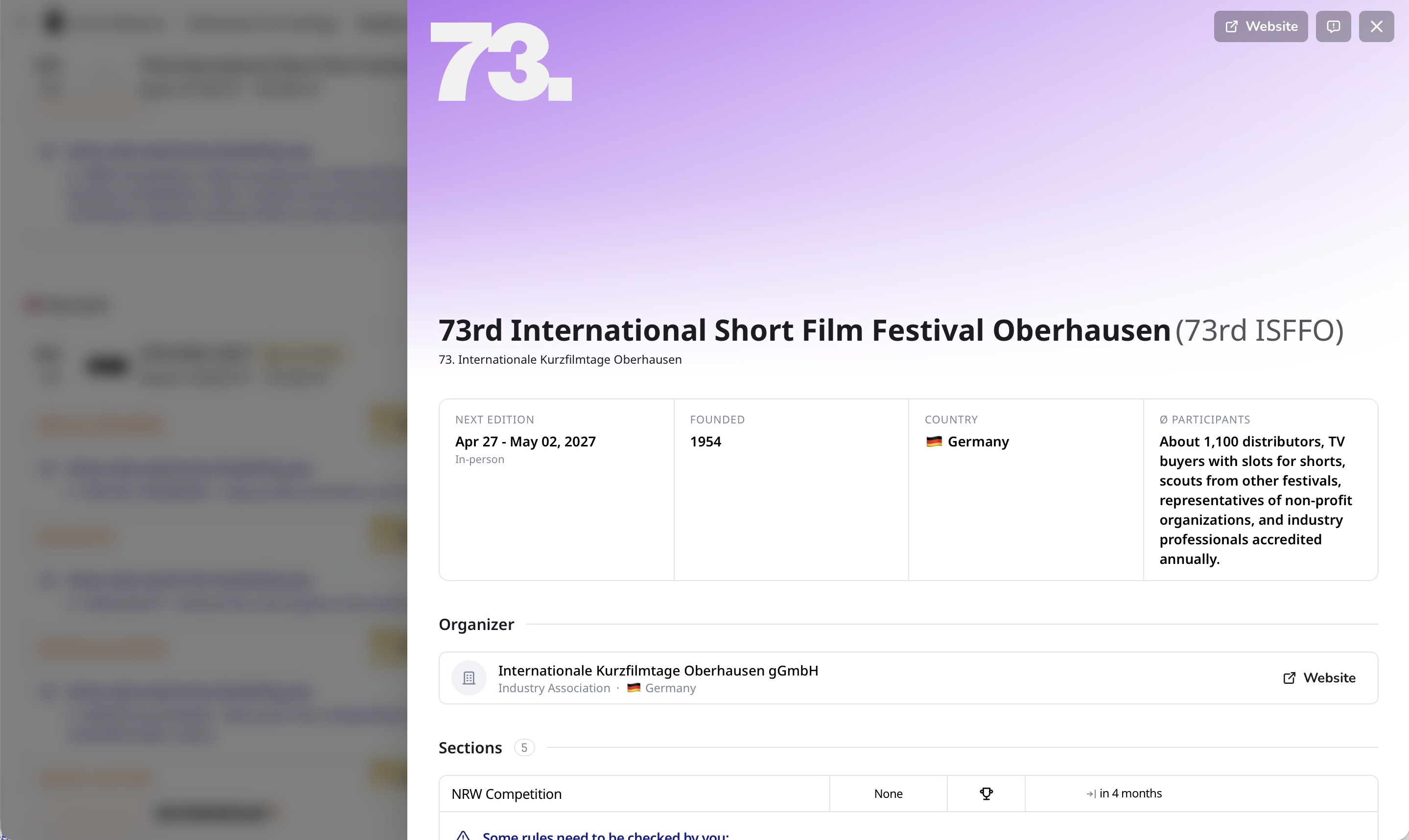
Review dates, sections, awards, and submission requirements on one page. Just click on a festival and it's all there.
See who's working at other festivals, too. A programmer who selects your film might invite it to another festival with a fee waiver.
Track
Sorry, I couldn't resist 😂 ... of course, it's drag and drop to track a submission to its next status!
Sorry, I couldn't resist 😂 ... of course, it's drag and drop to track a submission to its next status!
and drop your submissions and quickly find gaps in potential screenings by country and screening month.
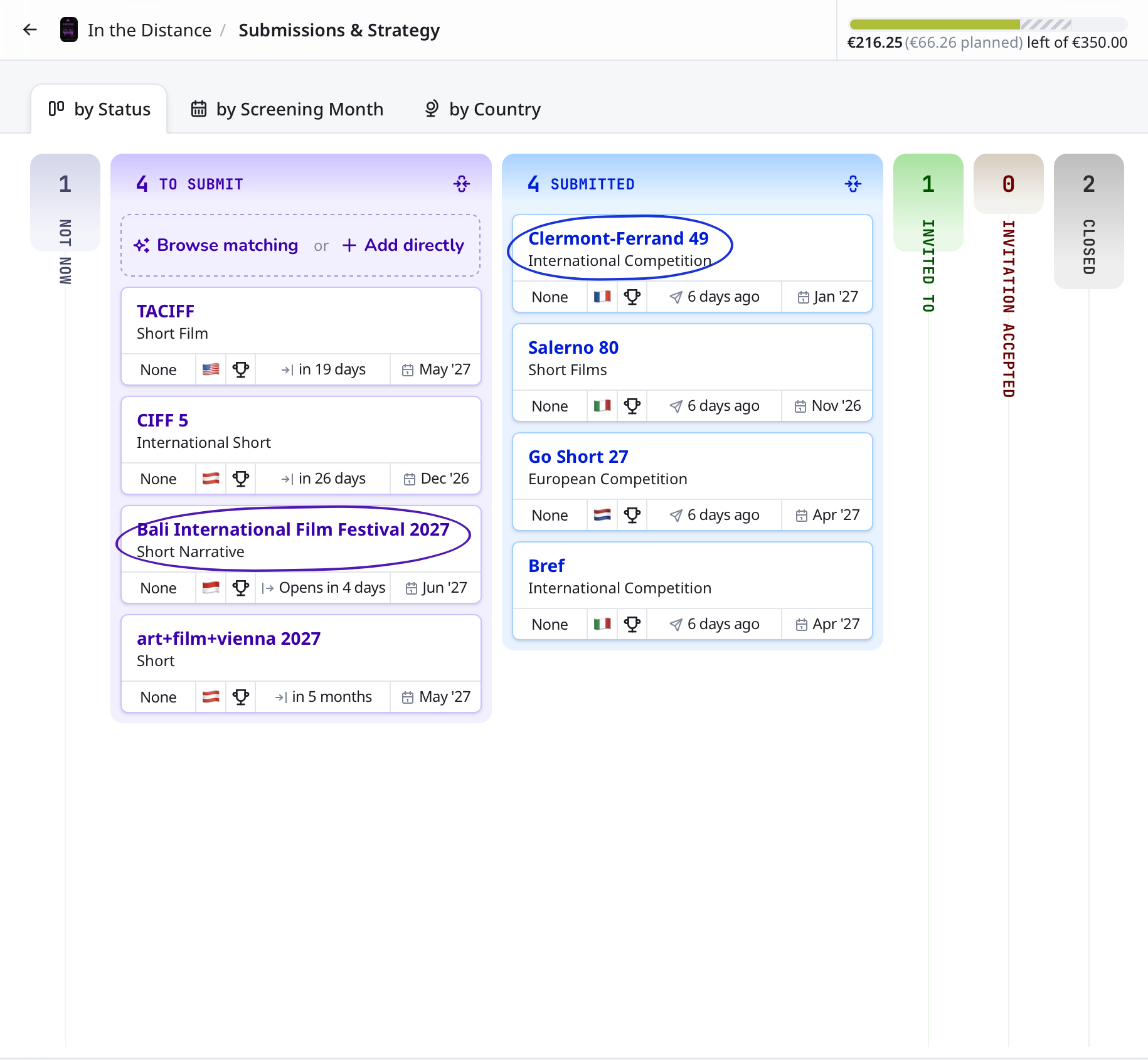
Submission cards are grouped by status. Drag a card to another column to update its status. Collapse any or all columns for a quick summary.
Submission expired? Deadline coming up? Screentour sorts all submission cards by deadline and automagically clears expired submissions from your plan.
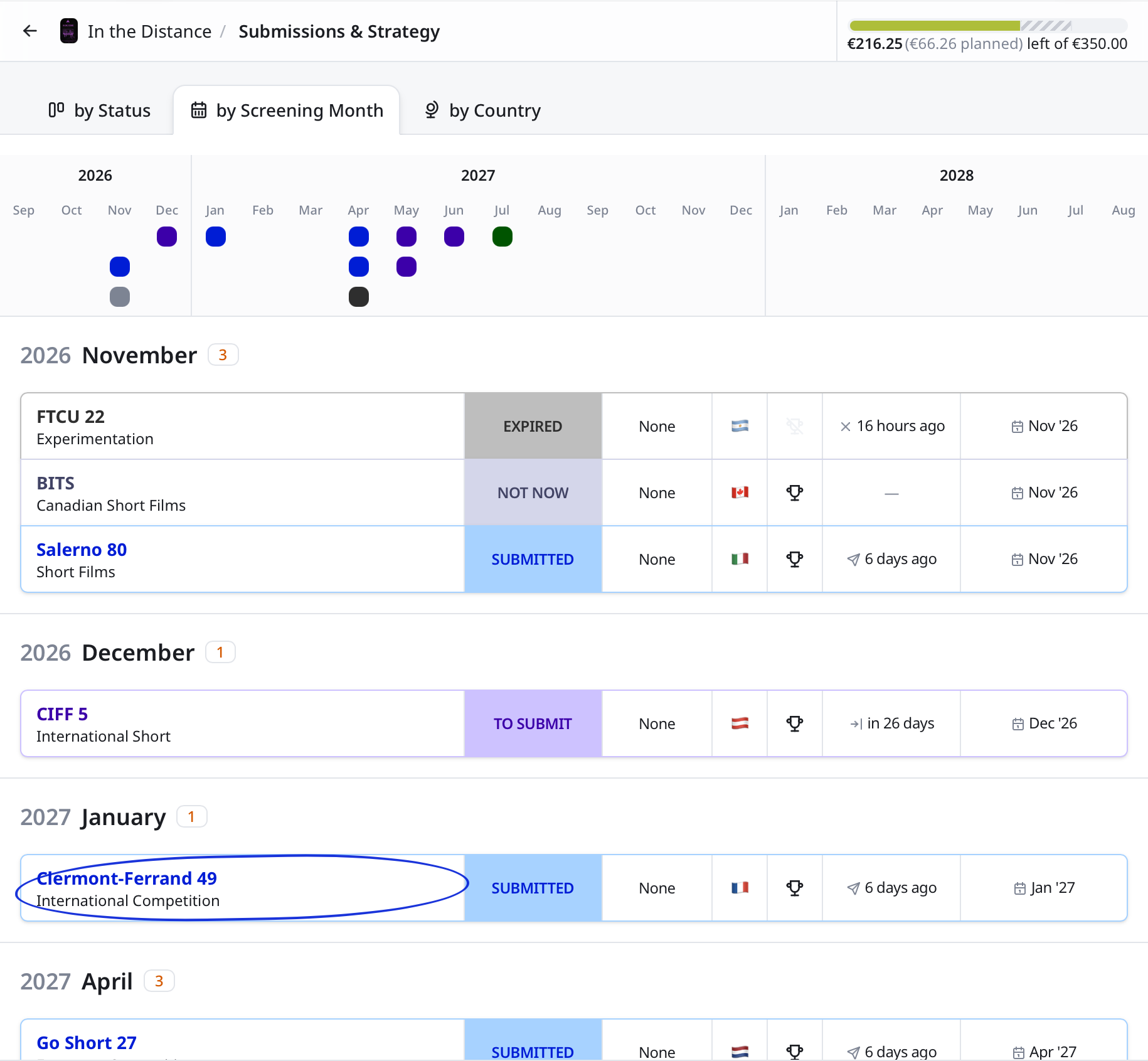
Circle a submission in the details view to spot it instantly, even with dozens lined up.
The two-year timeline shows potential screenings and the gaps between them. Select a month to find matching festivals with events in that month.
Submissions grouped by month help you quickly see if you already have the best options in your plan.
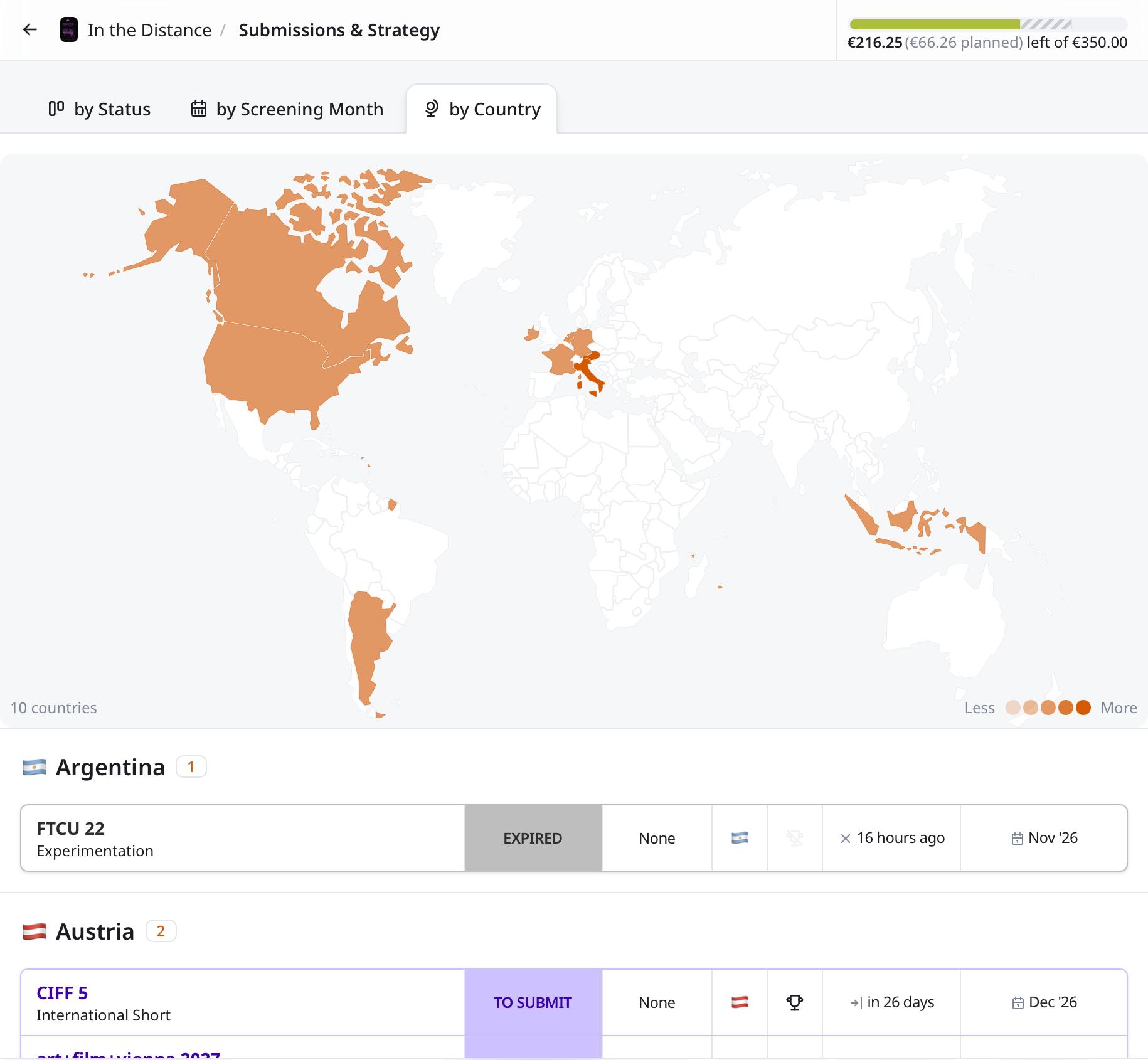
The world map highlights countries with potential screenings. Quickly check which country premieres remain available.
On the world map, simply select a country to quickly find matching festivals and fill your map.
Submissions grouped by country help you quickly assess if you already have the best candidates for each country.
Every detail about the submission is right at hand.
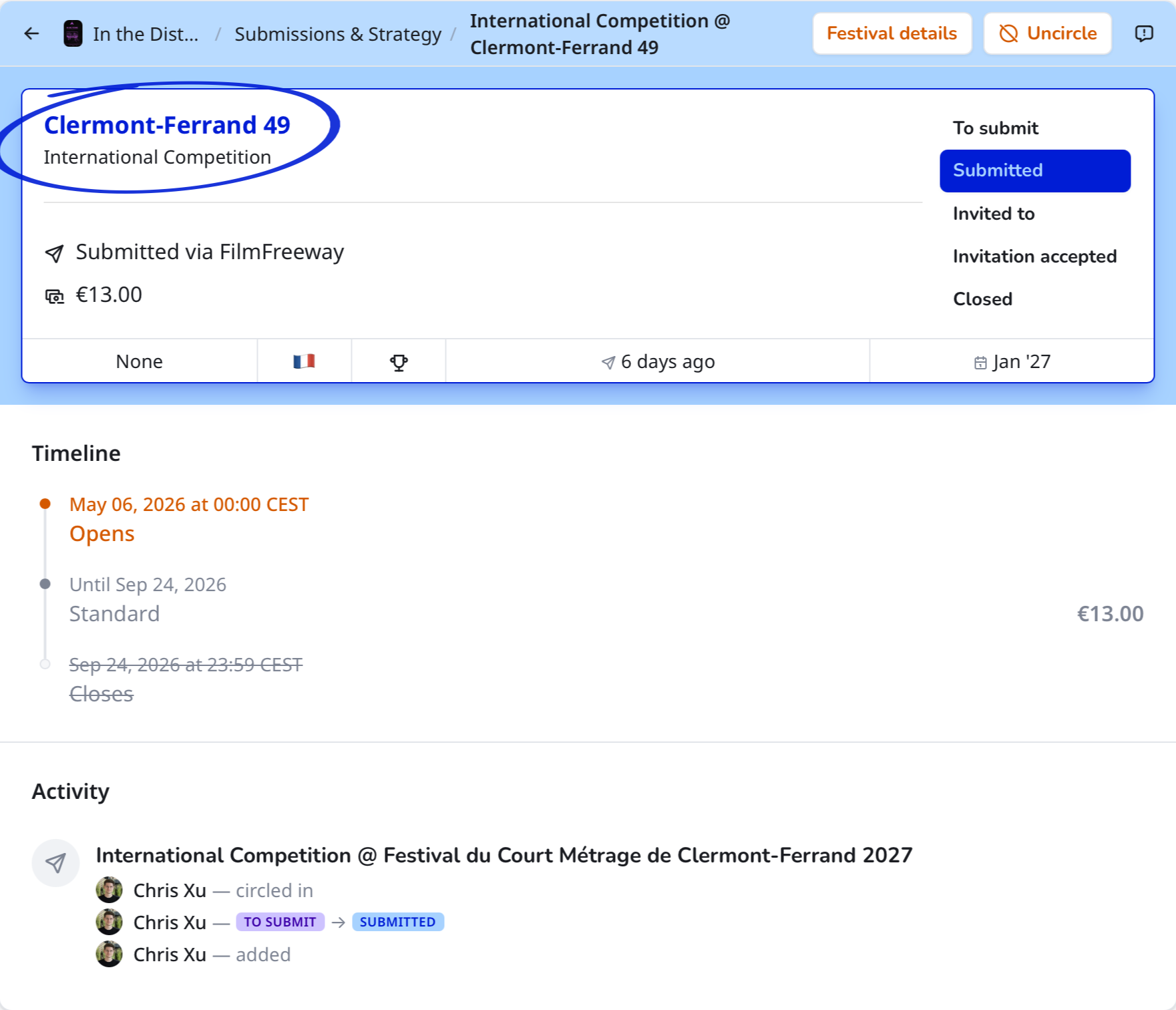
When will the submission fee increase? You can spot that and every other important event in the timeline.
Submit via the festival's website, FilmFreeway, or Miralot? All links are right there. Screentour remembers which link you clicked. When you return, it asks if you want to track the submission.
All submission details are in the card at the top. Need the festival info again? Just open the profile.
Who did what with this submission? You can see each update right in the activity log.
Set a budget, plan ahead, and keep an eye on your spending.
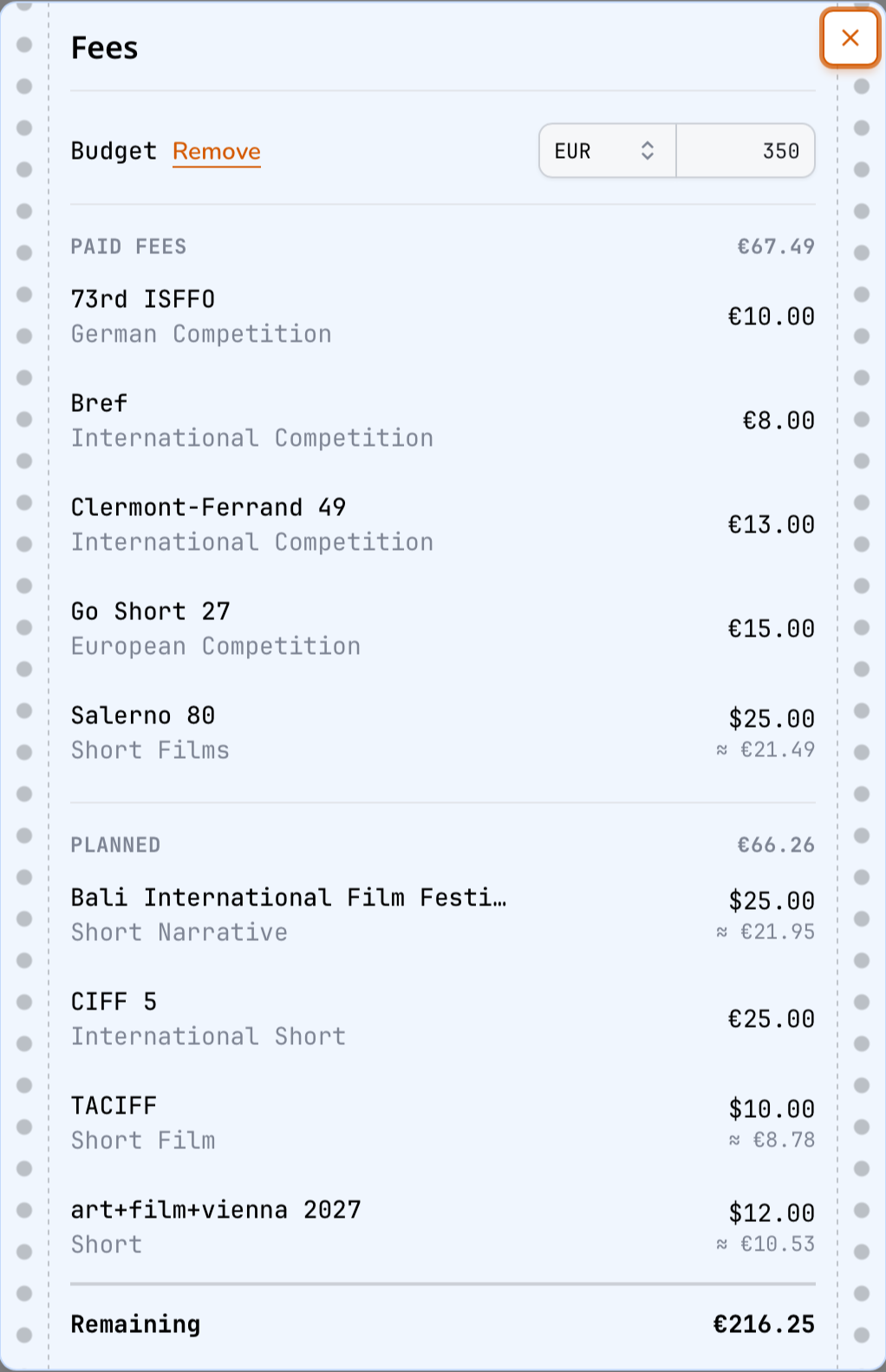
Keep track of planned and paid submission fees in one overview.
Enter a budget to keep track of what's left and see if your planned spending goes over it.
Screentour automatically converts submission fees to the currency you choose in settings. You can see the original fee and the converted amount.
Use Apple Calendar? Outlook? Google Calendar? Simply subscribe to the Screentour-hosted calendar to keep track of the next date.
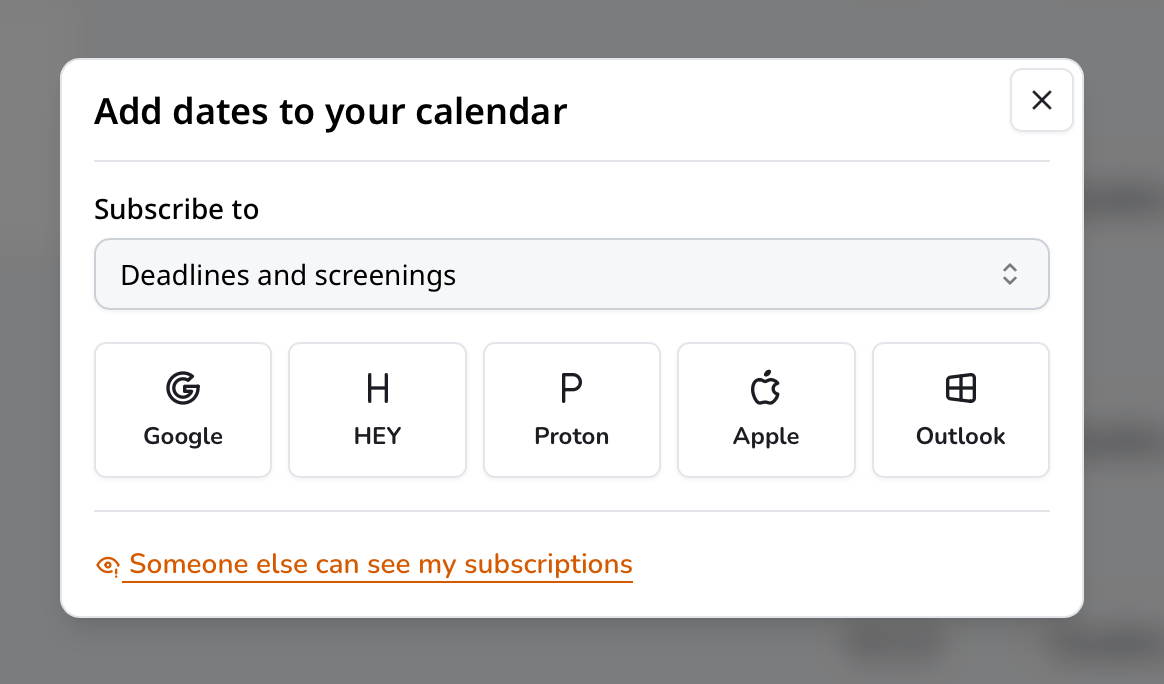
Choose submission deadlines, screenings, or both for your calendar subscription. Your calendar app receives updates from Screentour. Supported apps include Google Calendar, HEY, Proton, Apple Calendar, and Outlook.
Projects are organized into spaces. Everyone can be part of multiple spaces. Collaborate with others or invite guests for view-only access.
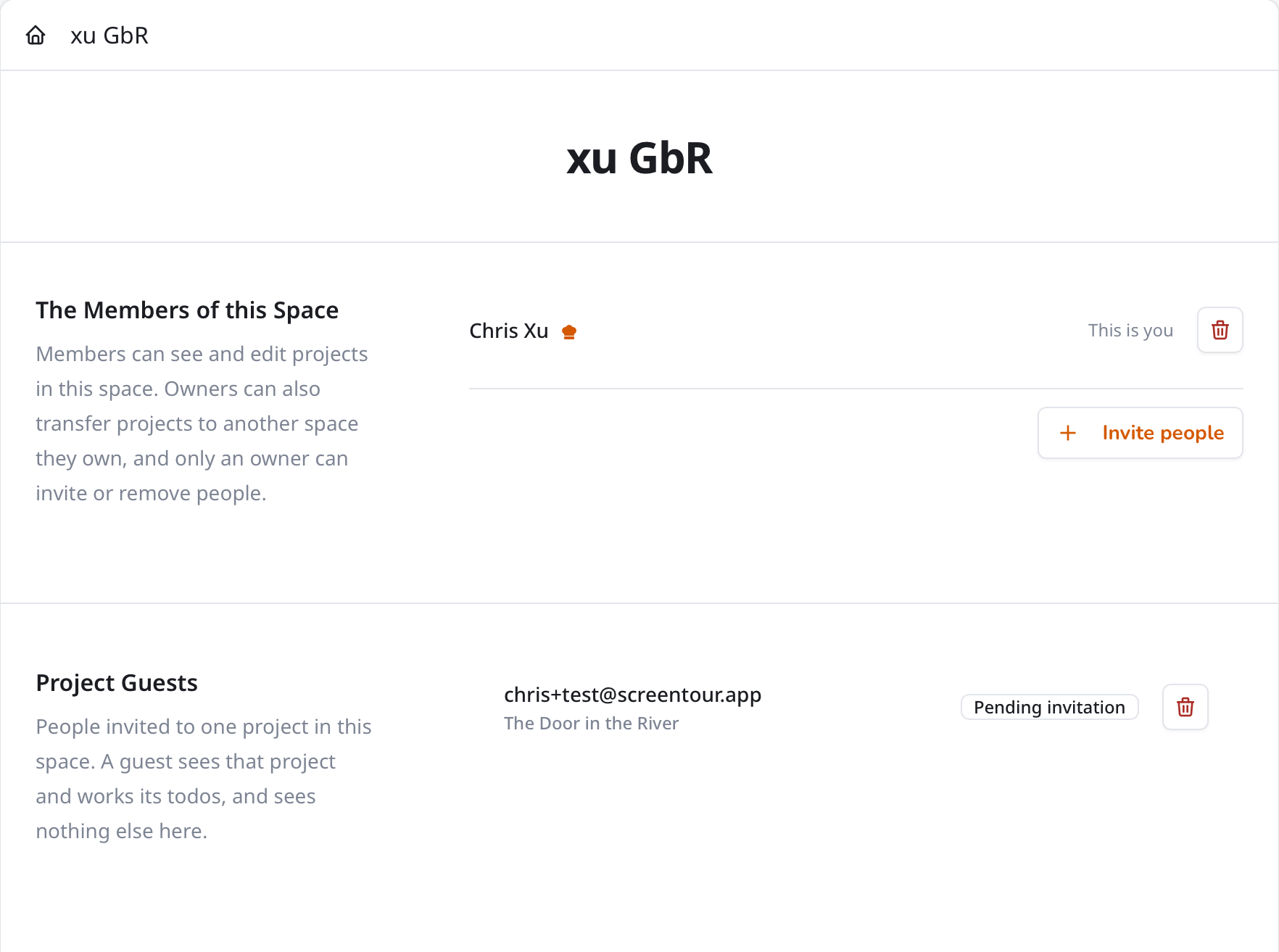
Invite your production or distribution team to work on all projects in a shared space. Members can plan submissions and update festival results together.
Guests have view-only access to the project's submissions, screenings, and budget. Guests can see changes as you update the project. You choose the guests for each project.
Working across teams and projects? Join multiple spaces with the same account.